
You are using an out of date browser. It may not display this or other websites correctly.
You should upgrade or use an alternative browser.
You should upgrade or use an alternative browser.
Quastion about DV lottery photo
- Thread starter sypha
- Start date

Fayth
Registered Users (C)
Hi Sypha, when I applied I remember adjusting the background to a white color without messing up with my head/hair. I got selected and my interview was succesfull. As long as it looks "normal' I don't think it will be a problem. I hope I answered your question 
--
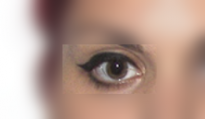
I do have a similar question too, so if someone else can answer, it would be great, my friend recently applied, the day after I rechecked her picture and I noticed there was a thin line on one of her eyes. If you zoom in, you can see it, if you look at it is a "normal passport" picture then it's not visible. Hope this won't be a reason to be disqualified. I read of other people that had mismatched pictures, got selected but then disqualified to to the mismatching. This is not mismatching but still, it's not nice : /
Hope someone can confirm or not
--
I do have a similar question too, so if someone else can answer, it would be great, my friend recently applied, the day after I rechecked her picture and I noticed there was a thin line on one of her eyes. If you zoom in, you can see it, if you look at it is a "normal passport" picture then it's not visible. Hope this won't be a reason to be disqualified. I read of other people that had mismatched pictures, got selected but then disqualified to to the mismatching. This is not mismatching but still, it's not nice : /
Hope someone can confirm or not
Attachments

Aussieboy91
New Member
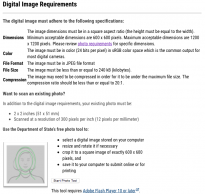
Guys, when i resize the photo the quality of the image becomes poor.
The photo is still visible however has a slight blur. Is this acceptable?
The photo tool didnt work so i had to use Paint
The photo is still visible however has a slight blur. Is this acceptable?
The photo tool didnt work so i had to use Paint

OnTheGo
Registered Users (C)
Use another browser, I had the same problem when using Chrome. Try Firefox and it should work.Thanks for your reply. I did everything.
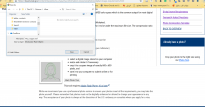
The problem is, when I press start photo tools it showed like save something not upload the photo. You can see the attached photo. Thanks

Britsimon
Super Moderator
Thanks for your reply. I did everything.
The problem is, when I press start photo tools it showed like save something not upload the photo. You can see the attached photo. Thanks
That is happening because you have shockwave flash selected as the file type.
thanks, Britsimon for your reply, what's your advise to fix that?That is happening because you have shockwave flash selected as the file type.
Thanks a lot. i will try that option. BlessingsUse another browser, I had the same problem when using Chrome. Try Firefox and it should work.
Britsimon
Super Moderator
thanks, Britsimon for your reply, what's your advise to fix that?
Choose a different filetype!
Still the same problem, when I press the photo tool it open as saving something instead of upload. ThanksChoose a different filetype!
Britsimon
Super Moderator
Still the same problem, when I press the photo tool it open as saving something instead of upload. Thanks
Find someone to help you who knows how to use a computer.